





Judy's TenKey™
Features & Benefits
Judy's TenKey is a flexible calculator that provides nearly every feature imaginable, yet makes your experience simple and effortless. Judy's TenKey saves you time and makes your calculations more reliable ... we guarantee it!

The Powerful Basics
Judy's TenKey records your calculations in a scrolling list which you can annotate, save, print, copy & paste, modify, reuse, and resize. You can customize Judy's TenKey in a myriad ways, but even more importantly, it intelligently tries to anticipate your desires and help you get your work done with minimal effort (auto-numlock, smart copy & paste, smart edits, etc.)
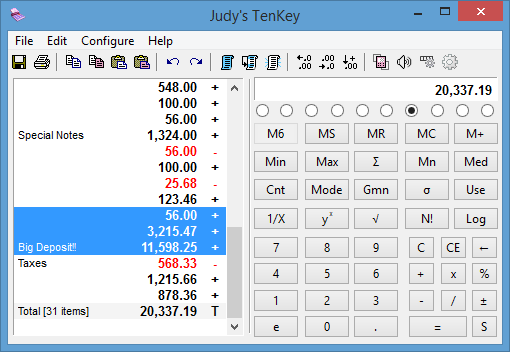
Smart Edits
Make changes directly to the tape and watch your totals automatically recalculate using our innovative “smart recalculation” (intelligently recalculates derived dependencies). You can also add or delete entire tape lines. A real time-saver!
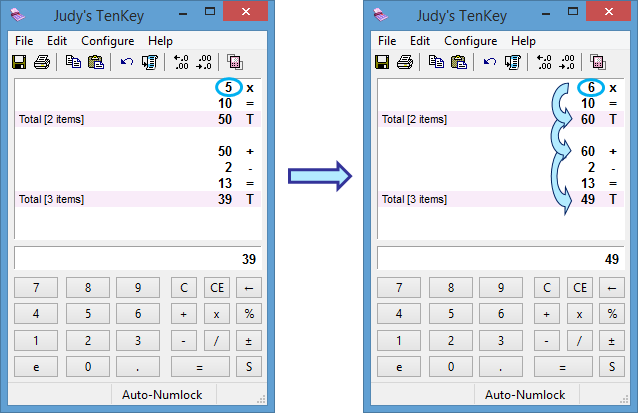
Multi-Level Undo
If you find you've done something unintended, just use the "undo" icon to undo your last entry, multiple times if necessary. You can also "redo" multiple "undo's" if you go too far! Super-easy to use (with Ctrl+Z shortcut) and a real time saver.
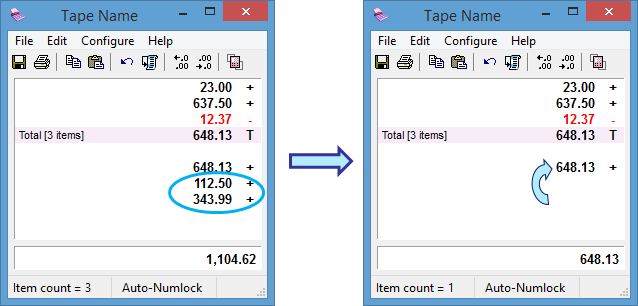
Reuse Calculations
For repetitive or similar calculations, highlight the lines you want to reuse and press the <Use> button (saves typing time and reduces errors).
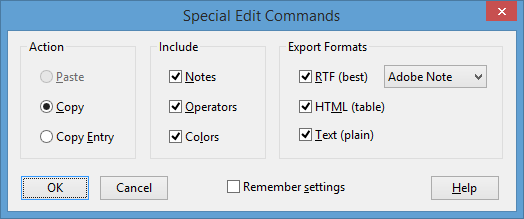
Intelligent Copy & Paste
Judy's TenKey lets you quickly use numbers in other Windows applications, or paste results into a report. In fact, Judy's TenKey is so smart that it can sift through a document looking for numbers and automatically add them up (so you don't have to waste any time laboriously copying individual numbers). Very handy! While all of this is automatic, you can also provide fine-grained control if desired, and can save your preferences and use special toolbar buttons to use your fine-tuned copy & paste commands at press of a single button.
Choose Your Layout
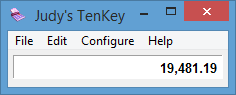
You can decide how you want your TenKey to look (selecting from numerous functions), enabling you to optimize screen usage. You can also place the tape on the side, on the top, or even choose not to show it all. Any TenKey function can always be activated via the keyboard regardless of the current display configuration.
Your Perfect Calculator
No matter who you are, no matter what you do, Judy's TenKey gives you the software calculator you've always wanted. Why? Because Judy's TenKey lets you design it yourself...
Select Your Syntax
Judy's TenKey can process numbers like a scientific calculator (RPN), an adding machine, or a normal calculator. Unlike other calculators that make you pick a syntax and stick with it, Judy's TenKey lets you use any feature with any syntax. How many scientific calculators have you seen with a tape? Or adding machines that could calculate your mortgage? Judy's TenKey provides the ultimate in refined flexibility. If you are familiar with one and not another, you know how difficult and frustrating it can be to try to switch. Perfect for accountants, engineers, and everyone else!
Choose A Decimal Setting
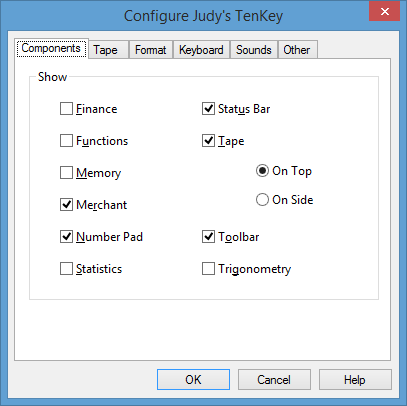
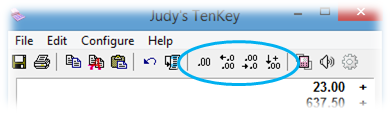
You can set Judy's TenKey to display the number of decimal positions you prefer, ranging from 0 to "as needed". In fact, you can configure Judy's TenKey to automatically insert the decimal point for you (a real favorite with professional accountants). If you frequently deal with money, you might want to set the decimals to 2 (for cents) or 0 (for dollars).
Keyboard Calculator Key
If your keyboard contains a dedicated Calculator key, Judy's TenKey will automatically link to that key, and bring up your calculations in progress whenever you press it (not simply launch a new calculator as the default Windows calculator does). Press the key again to hide Judy's TenKey. Simple!
Item Counter
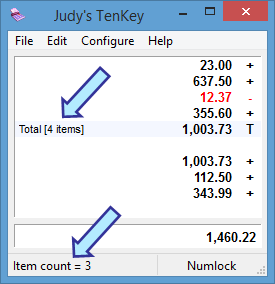
Optionally keeps track of the number of items you included in your calculation, showing a running count in the status bar and the relevant counts on subtotal and total lines.
Keep On Top
You can set Judy's TenKey to stay on top of all other windows, so you quickly make calculations even when editing a document full-screen.
Popup Tooltips
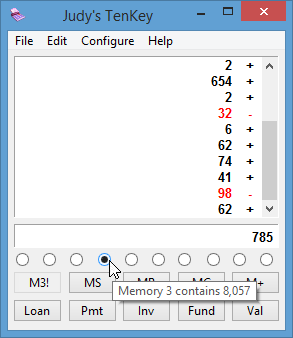
Rest your mouse over an item and see the meaning of the button, the keyboard shortcut, the contents of the memory, and so forth.
Adjust Your Keypad
You can swap the meaning of <Enter> and <+> on your keyboard to better mimic the keypad layout of a desktop adding machine (another real help for accounting professionals who are touch "typists"). Judy's TenKey can also automatically set your numlock whenever you type into the calculator, leaving your numlock unchanged for other applications.
Optional Sounds
You can set Judy's TenKey to play "clicking" sounds with each key pressed, providing audible feedback to ensure proper typing (plus, it's fun!).
International Support
Judy's TenKey uses Unicode to enable you to enter notes in any language desired, and your Windows settings to determine the character to use for digit grouping and for the decimal point. Please email sales@judysapps.com for availability of user interfaces in different languages.
Zero Install Deployment
Enables you to create a zero-install version so you can run Judy's TenKey from a thumb Flash drive or even a CD without installing anything on other computers. Great for traveling accountants or Internet cafe users!
Windows Versions
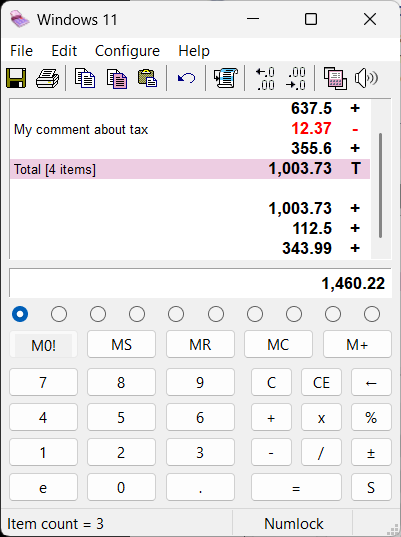
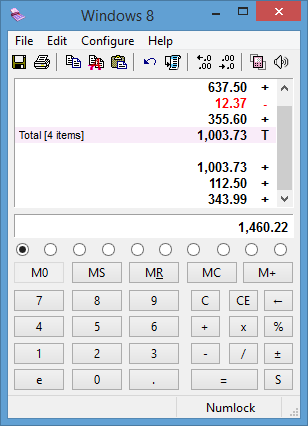
Judy's TenKey is available for virtually any version of desktop Windows, beginning with Windows XP on through Windows 11. It automatically takes on the look & feel of whatever version of Windows you use, so it meshes seamlessly with your overall computing experience. For example, compare Judy's TenKey running on Windows 11 versus Windows 8:
High DPI Interface
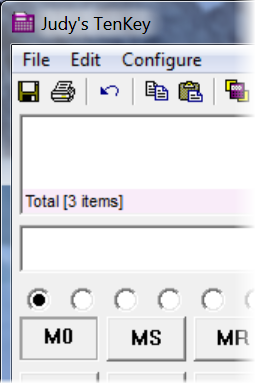
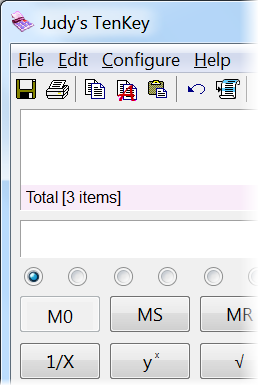
Beginning with Vista, Microsoft Windows enables you to "magnify" the screen so that everything looks larger and easier to read: it's great for people with aging eyes, visual disabilities, or just tiny-looking displays. It's available by right-clicking on the desktop and selecting Personalize > Display. Unfortunately, if the program doesn't support it natively, you can end up with blurry-looking images.
Available Functions
Judy's TenKey supports the following types of calculations:
- Arithmetic - All normal types of arithmetic, including addition, subtraction, multiplication, division, percentage, etc.
- Statistics - Simply select the relevant tape lines, then press the desired statistics button (including sum, average, standard deviation, minimum, etc.).
- Memory - Judy's TenKey supports 10 separate memories, which you can quickly select either via radio button or keyboard shortcut.
- Financial - Judy's TenKey calculates monthly payments for most loans (e.g., cars, houses, etc.), expected investment growth, necessary retirement savings, inflation adjustment, and more. Its easy-to-use dialogs lead you through these complex calculations, and records all responses on the tape (which you can later save, modify, etc.).
- Standard Functions - Inverse, square root, power, etc.
- Merchant Functions - Sales tax, discount, markup, delta percent, grand total.
- Transcendental Functions - Sine, Cosine, Hyperbolic Sine, Inverse Cosine, natural logarithm, etc.
Extra Touches
Judy's TenKey remembers your favorite screen position and displays itself there every time. It optionally displays negative numbers in red, tracks item counters for totals, and allows you to use the backspace key to edit results for further calculation. When printing, you can select 1- or 2-column format, and Judy's TenKey will by default use the most recent printer you used with Judy's TenKey (especially helpful if you have a special receipt or tape printer that you don't normally use with other programs). Judy's TenKey also provides an extensive help system, an introductory demonstration, and a "Tip of the Day" feature.
Better Performance
Judy's TenKey enables you to work faster and more reliably. It's a joy to use the intuitive, elegant simplicity of Judy's TenKey! We're so sure that you'll love using Judy's TenKey that we invite you to try it for free. Simply send in the registration fee if you decide to keep it.

Requirements
Judy's TenKey requires Windows 2000/XP or better (e.g., Windows Vista, Windows 8, Windows 10, etc.).
See also