





Judy's TenKey
v5.0+ Improvements
Judy's TenKey v5.0+ provides the following improvements over v4.5, and can be ordered directly or as an upgrade:
Windows 8 Support
Now better supports Microsoft Windows 8 (as well as Windows 7, Vista, XP, and Windows 2000), including security guidelines, use of the registry so multiple people can share the same computer with their own settings, and the HTMLHelp support system. Also includes MSI capability for corporate installations.
Multi-Level Undo
If you realize you've made a mistake, (for example, pressed '+' when you wanted '-', or deleted the wrong tape lines), simply click the undo icon on the toolbar, or use the Ctrl+Z keyboard shortcut. You can undo multiple actions, or choose to redo actions that you just undid. Of course, you can still directly edit the tape if you prefer.
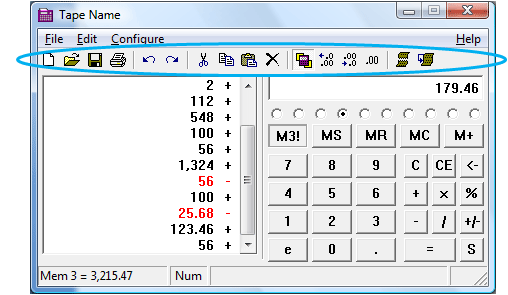
Toolbar
Provides quick access to common commands, such as Print or Keep On Top, and even some new ones such as "Increase number of decimals shown", "Decrease number of decimals shown", or "Reuse highlighted lines". As with all other Judy's TenKey elements, you can choose whether or not to display the toolbar, and you can also customize the buttons shown by double-clicking on the toolbar.
Multi-Column Printing
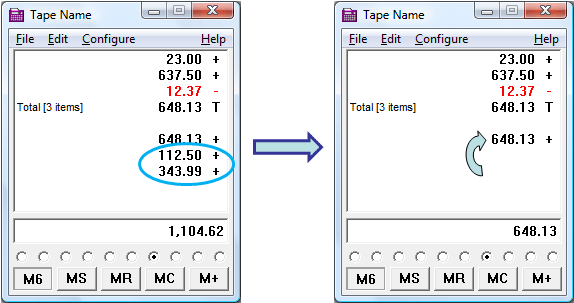
Save paper by printing 2 columns per page, or print exactly as shown on the screen. Page numbers are now included, and you can control margins as well.
Easier Configuration
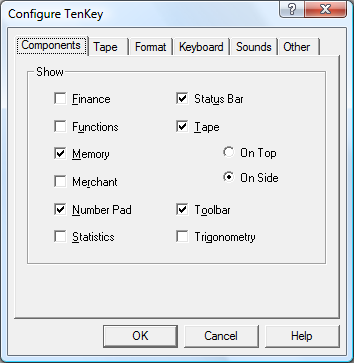
New tabbed configuration dialog lets you change multiple configuration settings at once, as requested by many users over the years. The Configure menu still provides direct access to the more common commands for quick manipulation.
Keyboard Sounds
For years people have been asking for keyboard sounds. Now, you can set your system to play light, heavy, or no clicking sounds, plus separate sounds for Totals and operators. It's actually quite fun, and provides audible feedback that you are clicking the correct number of buttons.
Horizontal Resize
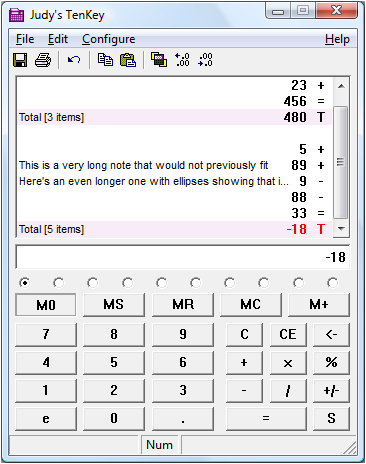
At long last, you can now stretch the tape wider as well as longer. This can be particularly helpful when dealing with large fonts or long tape notes.
Portable Deployment
Enables you to create a zero-install version so you can run Judy's TenKey from a thumb Flash drive or even a CD without installing anything on other computers. Great for traveling accountants!
Status Bar
Optional display along bottom of window that shows you whether your Numlock is on, the value of the most recent memory you set, and so forth.
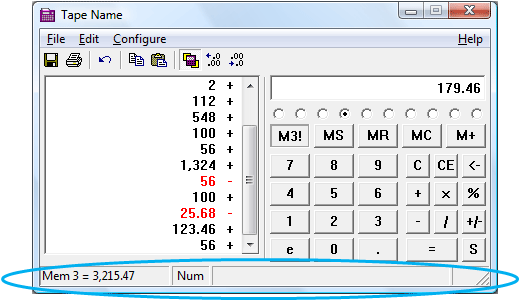
Auto Numlock
By default, Judy's TenKey will activate your keyboard numlock whenever the program has the focus, leaving it as previously set whenever you switch to another program. You can deactivate this feature via the Configure | All Settings | Keyboard menu if desired, but it basically just works like magic.
Keyboard Calculator Key
If your keyboard contains a dedicated Calculator key, Judy's TenKey will automatically link to that key, and bring up your calculations in progress whenever you press it (not simply launch a new calculator as the default Windows calculator does). Press the key again to hide Judy's TenKey. Simple!
Delta Percent Calculation
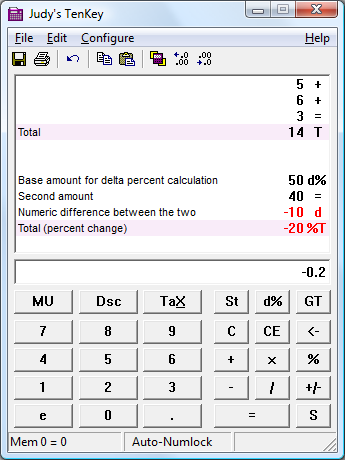
New [d%] button on the Merchant Bar calculates the difference between two numbers, and the percentage change that represents.
More Intelligent Copy & Paste
Now interprets pasted numbers surrounded by parentheses, such as (1.23), as negative for easier copying from formatted spreadsheets. For tenkey syntax users, it will also optionally bundle up the the sign with the number when pasting (for example, a "4 -" line becomes a "-4" when Edit | Special | Numbers Only copied into Excel).
Easier Editing
Pressing Ctrl+E starts editing a note for the latest tape entry, so your fingers never need to leave the keyboard. Using the Tab and arrow keys let you move from editing one tape element to another, again with no need for the mouse.
Recently Used File List
The File menu now provides a list of your 5 most recently used tapes, so you can more quickly and easily open a recent tape.
Miscellaneous Improvements
Optional setting lets you automatically place Judy's TenKey icon in the Quick Launch section of your Start bar (so you can always get immediate access). Ctrl+Alt+J hotkey also installed by default so you can access your program from anywhere, even if it's buried under many other windows. Better support for multiple monitors, simpler and more robust installation, minor display improvements.

See also